Quick answer: No. Pinterest's current help pages do not document a profile-viewer list, and profile views are not included in its published notification categories. Pinterest Analytics reports aggregate Pin and audience metrics—not the names of people who opened your profile.
That is narrower than saying all Pinterest activity is "completely private." Following, commenting, mentioning someone, or saving content can create visible activity. Quietly opening a public profile is different.
Can You See Who Viewed Your Pinterest Profile?
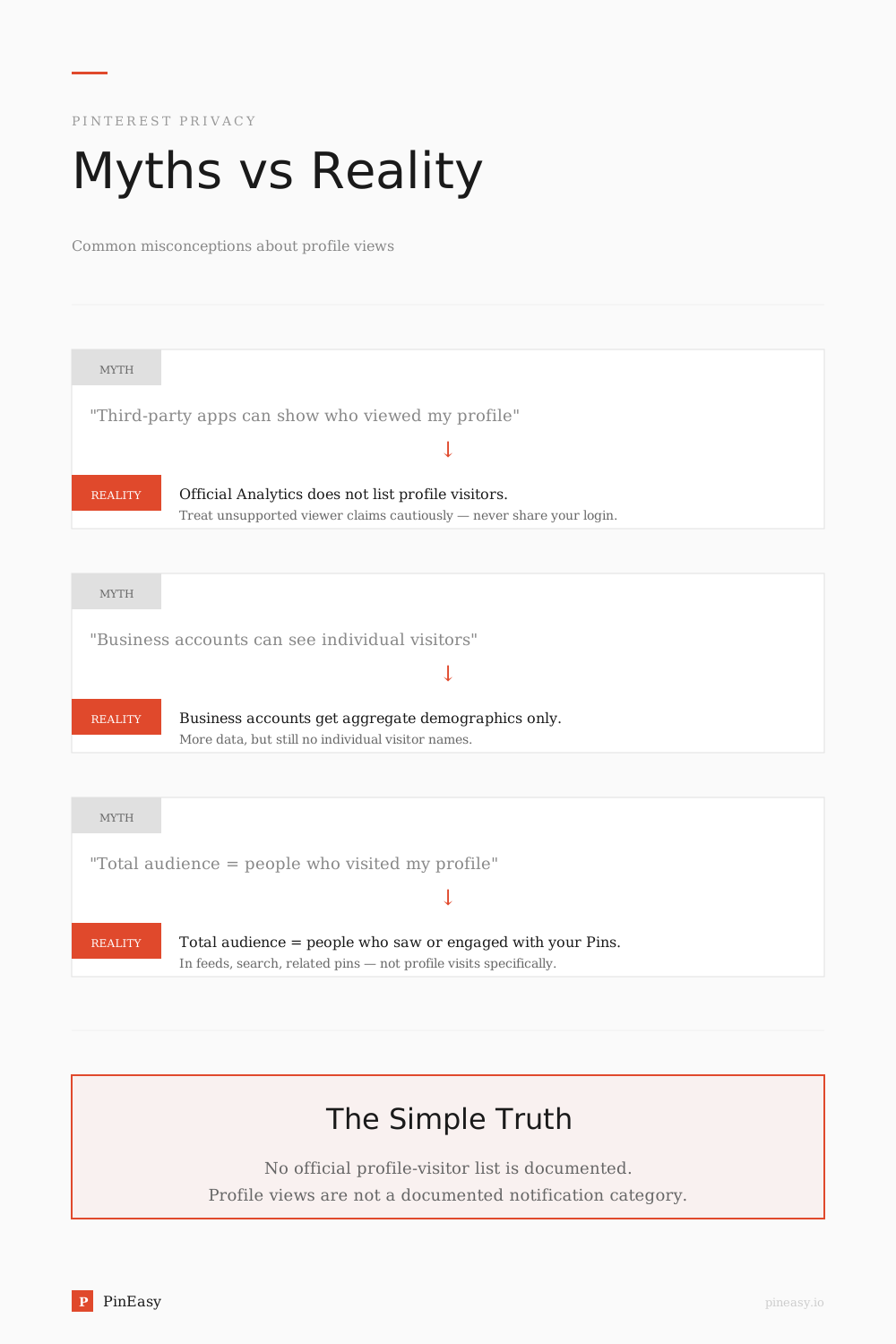
No official Pinterest screen shows a list of people who viewed your profile. Pinterest's current Analytics documentation lists impressions, engagements, saves, Pin clicks, outbound clicks, total audience, and engaged audience. It does not list profile-visitor identities.
In practice:
- You cannot open a profile-viewer list.
- Business accounts still receive aggregate performance data.
- Audience reach is not the same as profile visits. Pinterest defines total audience as people who saw or engaged with your Pins.
Pinterest itself still processes activity under its Privacy Policy. The useful distinction is: profile viewing is not presented as a visitor list to another ordinary user, but activity on the platform is not invisible to Pinterest.

Profile Views vs. Who Viewed Your Profile
Pinterest profile views and a Pinterest profile viewer are not the same thing. Pinterest can report certain activity and profile-visit metrics, but it does not provide a named list of everyone who opens your profile.
- Profile views / analytics — Pinterest business analytics reports aggregate Pin and audience performance. Individual Pin stats may also show profile visits resulting from viewing a Pin. These are counts, not visitor identities.
- Profile viewer / visitors — A named list of the accounts or people who opened your profile. Pinterest does not document a feature that provides this list.
| Question | What Pinterest can show | What Pinterest does not show |
|---|---|---|
| Does Pinterest have profile views? | Certain aggregate metrics, including profile visits attributed to individual Pins | A complete named history of profile visitors |
| Who viewed your profile? | Total audience, engaged audience, and other aggregate performance data | The identities of individual profile visitors |
| Are viewers reported to you? | Notifications for supported interactions such as follows, comments, and messages | A visitor-identity notification when someone opens your profile |
| Can a profile be browsed quietly? | Public profiles can be viewed without a documented visitor-identity alert | A named visitor log identifying everyone who opened the profile |
| Do third-party "viewer" apps work? | Publicly accessible profile information and authorized account data | An official Pinterest visitor-identity list |
Does Pinterest Notify When You View Someone's Profile?
Pinterest's published notification settings do not include a profile-view notification. The documented categories include comments, mentions, saves, followers, group-board updates, invitations, and messages—not a list of profile visitors.
Opening a profile is not a documented profile-view notification. That does not mean every passive Pin view is hidden: Pinterest's notification guidance says activity from Facebook friends and people you follow can include Pins they have seen. This is social activity, not a complete list of everyone who viewed a Pin or profile.
Other actions that can be visible include:
- Following an account
- Commenting on or mentioning someone on a Pin
- Saving content, depending on the notification and activity settings involved
- Sending a message or joining a group board
Pinterest can change its interface, so this answer is tied to the official help pages checked October 13, 2026—not a promise that the product can never change.
What Pinterest Analytics Shows Instead
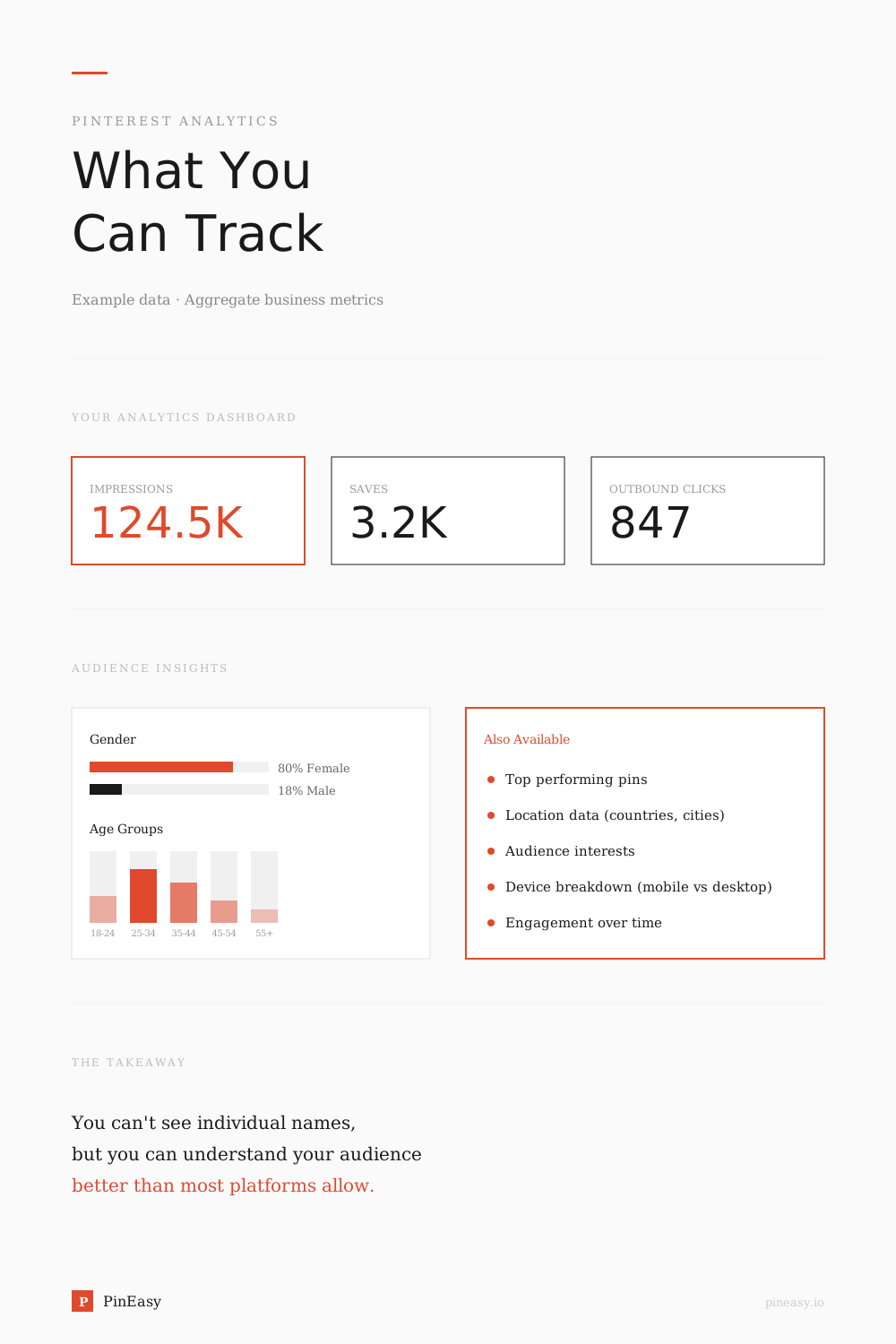
Pinterest business accounts can access aggregate analytics about Pins and audiences:
| Metric | What It Tells You |
|---|---|
| Impressions | How many times your pins appeared on someone's screen |
| Pin clicks | Number of clicks that opened your Pin in closeup in Analytics |
| Outbound clicks | Clicks through to your website |
| Saves | How many times people saved your pins to their boards |
| Total audience | People who saw or engaged with your Pins |
| Engaged audience | People who engaged with your Pins |
Audience Insights can add age, gender, location, device, categories, and interests. These are audience patterns, not a visitor roll call. For a deeper explanation of reach, see our guide to Pinterest impressions.
How to See Your Pinterest Analytics
You need a Pinterest business account to access Analytics:
On desktop:
- Log into your Pinterest business account
- Click the hamburger menu at the top-left
- Under Analytics, select Overview
On mobile:
- Open the Pinterest app
- Tap your profile picture
- Tap the chart icon
- Select Analytics
From the analytics dashboard you can:
- Review impressions, engagements, clicks, and saves
- See your top-performing pins
- Review Top Pins and Top boards
- Open Audience Insights for demographic and interest patterns
Pinterest notes that real-time Analytics figures are estimates and can change. Treat them as performance signals, not exact identities or a live visitor feed.
Can Third-Party Apps Show Who Viewed Your Pinterest?
A "Pinterest profile viewer" usually means a tool that claims to reveal the names or usernames of people who visited your profile. Searches for "profile viewer online", "profile viewer free", and "profile viewer anonymous" often refer to this type of tool.
Pinterest does not provide a documented visitor-identity list that third-party tools can retrieve. Its official analytics can report aggregate performance information, including certain profile-visit metrics, but those numbers do not identify individual visitors. Treat any app, extension, or website promising a secret visitor list with caution.
Here is what the official material supports:
- Pinterest's documented Analytics is aggregate, not a list of visitor names
- A third party should not need your Pinterest password to show ordinary public information
- A displayed "viewer list" is not proof that the data came from Pinterest
Do not give an unknown service your Pinterest password. If you already did, change the password and review active sessions and connected apps in your account settings.
What You CAN Do to Understand Your Pinterest Audience
While you can't see individual names, there are practical ways to learn about your audience:
- Use Pinterest Analytics — Compare impressions, saves, Pin clicks, outbound clicks, and engagement over time
- Add UTM parameters to your pin links — Track exactly which pins drive traffic in Google Analytics. This shows you which content resonates, even without knowing who viewed your profile
- Use Audience Insights — Look for audience interests and demographic patterns without trying to identify individuals
- Compare Pins by their actual goal — Use save rate for future intent and outbound click rate for website traffic. Our Pin comparison guide shows the method
- Read behavior, not names — Repeated interest in a topic is more useful for strategy than a visitor list would be
Pinterest Privacy — What Others Can See About You
Understanding what's public and private on your Pinterest helps you control your presence:
Visible on a public personal profile:
- Your profile name and bio
- Your public boards and pins
- Your follower and following counts
Not provided as a profile-viewer list:
- Who viewed your profile
- Who opened a public board without interacting
- Your Pinterest search history (see whether other people can see your Pinterest searches)
Pinterest's current profile-visibility guidance says eligible personal profiles can be made private. Business profiles are always public unless converted back to personal. Secret boards control saved-content visibility, while archived boards are hidden from the public profile but are not the same as secret boards.
Frequently Asked Questions
Can someone see if you view their Pinterest?
Pinterest's current help pages do not document a notification for opening someone's profile. Following, commenting, mentioning, messaging, or saving can be visible. Pinterest also says activity from Facebook friends and people you follow can include Pins they have seen; this is not a profile-viewer list.
Does Pinterest show recently viewed profiles?
Pinterest does not document a visitor-facing list of profiles you have opened. Recent searches and recommendation history are separate account features.
How do I check who views my Pinterest?
You cannot open an official list of individual profile visitors. Business accounts can use Analytics and Audience Insights to see aggregate Pin performance, audience reach, demographics, and interests.
Can you see who saves your pins on Pinterest?
Pinterest Analytics reports total saves. Save activity and notifications are separate from profile views, so do not use a save count as a profile-visitor count.
Does Pinterest have profile views?
Pinterest reports certain profile-visit metrics, including visits attributed to individual Pins. Business accounts can also access aggregate performance data such as impressions, engagements, total audience, and engaged audience. These metrics do not reveal the names or usernames of individual profile visitors.
Is there a Pinterest profile viewer?
Pinterest does not provide a documented feature showing a named list of people who viewed your profile. Third-party apps claiming to reveal secret profile visitors do not have access to an official Pinterest visitor-identity list.
Can you view a Pinterest profile anonymously?
Opening a public Pinterest profile does not trigger a documented visitor-identity notification or add your username to a visitor list that its owner can inspect. This does not make all Pinterest activity anonymous: following, commenting, messaging, mentioning, and saving can leave visible signs of activity. Pinterest also says activity from Facebook friends and people you follow can include Pins they have seen.
The Bottom Line
Pinterest does not currently provide a profile-viewer list or document a profile-view notification. It does provide aggregate Analytics and Audience Insights. Use those to understand what content works without trying to identify individual visitors.
Official Sources
- Review Pinterest Analytics — official metric definitions and current desktop and mobile access steps
- Review Audience Insights — official audience, affinity, demographic, and device breakdowns
- Edit notification settings — Pinterest's current notification categories
- Make your profile private or public — current personal, teen, and business-profile visibility rules
- Pinterest Privacy Policy — how Pinterest describes its collection and use of platform activity
Ready to make sense of your Pinterest data? Try PinEasy to get private strategist recommendations and pin creation tools that help you grow.